
Risk management is not one switch. A stop order attached to one position, a provider’s account-level limit, and a local tool that governs new exposure solve different problems. The safest workflow starts by knowing which layer owns each rule.
Does NinjaTrader have a daily loss limit?
Not as one universal setting. NinjaTrader Desktop documents local Risk Templates for simulation margin, order, and position limits. NinjaTrader Prop separately documents configurable daily loss, profit, drawdown, and lockout settings.
The desktop Risk Template documentation does not establish a generic brokerage-account daily loss control. Account fields and values shown in NinjaTrader are provider-dependent. A daily loss limit is not a protective stop and does not govern every trade before the threshold.
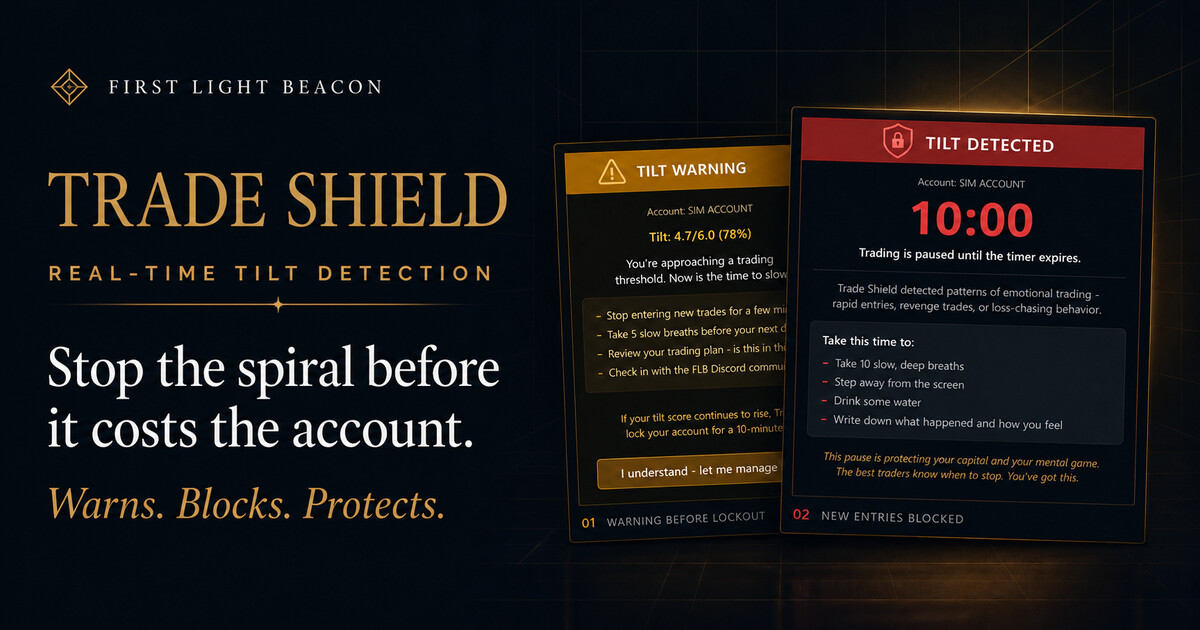
Trade Shield is a local NinjaTrader behavioral-risk and account-governance layer. It observes connected, visible account events; separates entries and position additions from reductions and exits; then evaluates configured sessions, financial locks, directional state, and observable trading behavior. It is deterministic software, not AI that reads emotion, and it cannot guarantee that every disallowed order will be prevented or every loss will be contained.
Where native NinjaTrader risk settings live
NinjaTrader documents different risk settings for different products. The desktop Risk window creates Risk Templates for local simulation accounts, covering margin, order, and position limits. NinjaTrader Prop separately publishes configurable daily loss, profit, drawdown, and lockout settings for its product. The desktop Risk Template documentation does not establish a generic brokerage-account daily loss control.
The Accounts tab displays values reported for an account, but NinjaTrader notes that not every provider supports every account item. Confirm both the source of the value and how the provider defines it before treating the number as an enforcement boundary. Review NinjaTrader’s Accounts tab documentation.
ATM strategy templates solve another problem. They can place and manage protective stop and profit-target orders for a position. That is trade-level protection, not the same as an account-level daily rule or a behavioral cooldown. NinjaTrader’s own risk-management guidance recommends defining risk before entry and using platform controls as part of a broader process.
Do not assume that a setting with the same label behaves the same everywhere. A local simulation template and a NinjaTrader Prop rule belong to different products and use different limits and enforcement paths. Account fields and values displayed by NinjaTrader can also vary by provider. Verify the exact product, account, and connection you intend to trade.
Protective orders, account limits, and behavioral governance
These controls can complement one another, but they are not substitutes. The table below describes the practical role of each layer.
| Layer | Primary job | Important boundary |
|---|---|---|
| Protective stop or ATM | Defines a price-based exit for an open position and can pair that exit with a profit target. | It governs the associated trade; it does not by itself stop the next entry or enforce a daily account rule. |
| Desktop simulation or NinjaTrader Prop control | Applies desktop simulation margin, order, or position limits, or NinjaTrader Prop’s separately documented loss, profit, drawdown, and lockout settings. | These are different products, not evidence of one generic brokerage-account daily loss control. |
| Trade Shield | Evaluates connected account events against configured sessions, financial locks, directional entry state, and observable behavioral patterns. | It is a local NinjaTrader layer, not a broker- or exchange-side lock. NinjaTrader and the relevant connection must be running and reporting. |
A robust process may use all three: a protective stop for each position, an account-level boundary when available, and local governance for the decisions that happen before and after the threshold. None of them removes fill risk, platform risk, or the trader’s responsibility to supervise the account.
From an account event to a configured response
Trade Shield runs locally inside NinjaTrader 8. It responds to observable account, order, position, and configured product state. It does not use a camera, biometrics, or a model that infers a trader’s mental state.
Receive account and order events that NinjaTrader exposes for the connected, visible account.
Distinguish new or added exposure from a reduction or exit before evaluating a restriction.
Check the configured session, financial lock, directional state, and observable behavior rules.
Warn, start a timed lock, or use a trigger-specific block or flatten response, then show current status.
Different triggers produce different responses
| Trigger category | What it governs | Response boundary |
|---|---|---|
| FLB directional state | Filters a new entry or position addition against the configured directional state. | A later directional flip does not automatically close a valid open trade. |
| Selected session | Blocks new or added exposure outside the selected trading hours. | The shipped stable 1.6.4 periodic watchdog can also flatten an existing position when it finds the account outside those hours. |
| Daily goal, daily loss, and profit giveback | Compares observed P&L with the trader’s configured financial boundary. | The corresponding trigger can lock and flatten; reported P&L must be verified in the dashboard. |
| High-water-mark profit protection and profit lock | Applies a configured observed-profit giveback threshold after the relevant level is reached. | This is not a claim of automatic prop-firm trailing-drawdown synchronization. |
| Behavioral cooldown | Responds to product-defined, observable sequences associated with rapid or repeated trading, then applies the cooldown across connected accounts. | The workflow can warn and begin a timed lock. When the trigger activates, shipped stable 1.6.4 propagates the cooldown and flatten response across connected accounts, not only the selected account. |
| Manual and prop-pass target locks | Applies a deliberate manual lock or a configured prop-pass target-based account lock. | The target-based account lock flattens and blocks; firm-specific rules still require separate verification. |
Reductions and exits are designed to remain available. That distinction lets a trader reduce risk while a rule prevents new or added exposure. It should not be treated as a guarantee: platform state, order handling, connectivity, and upstream systems can still affect an exit.
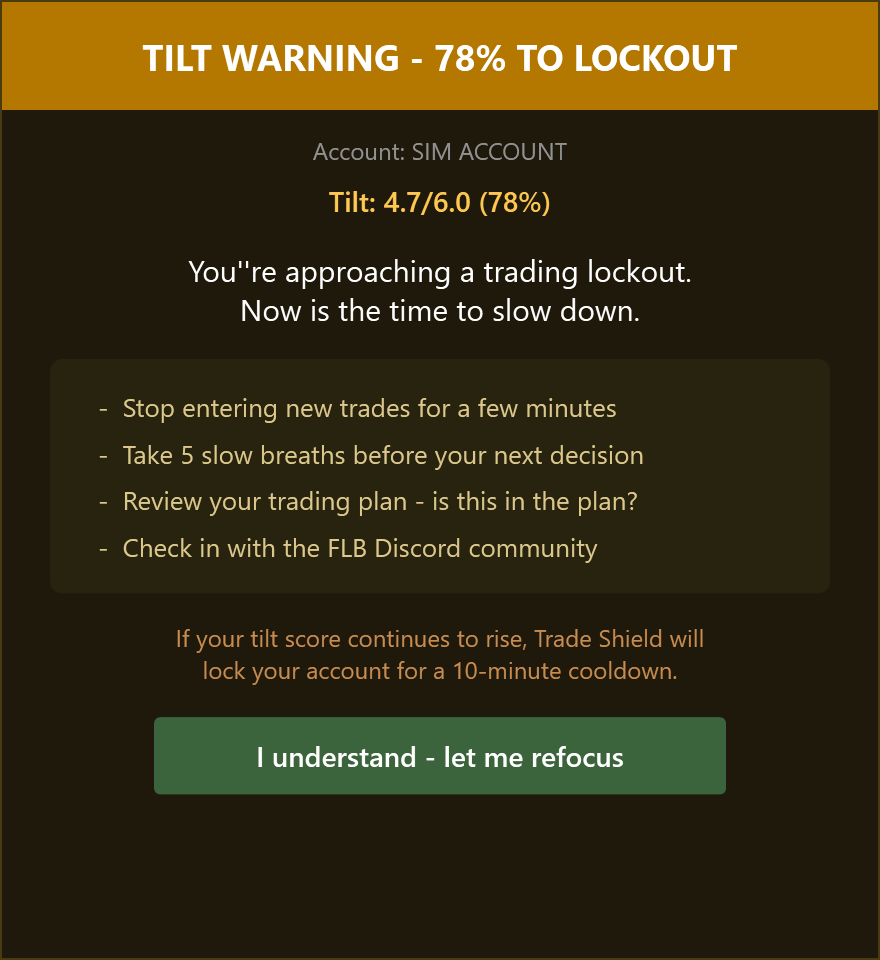
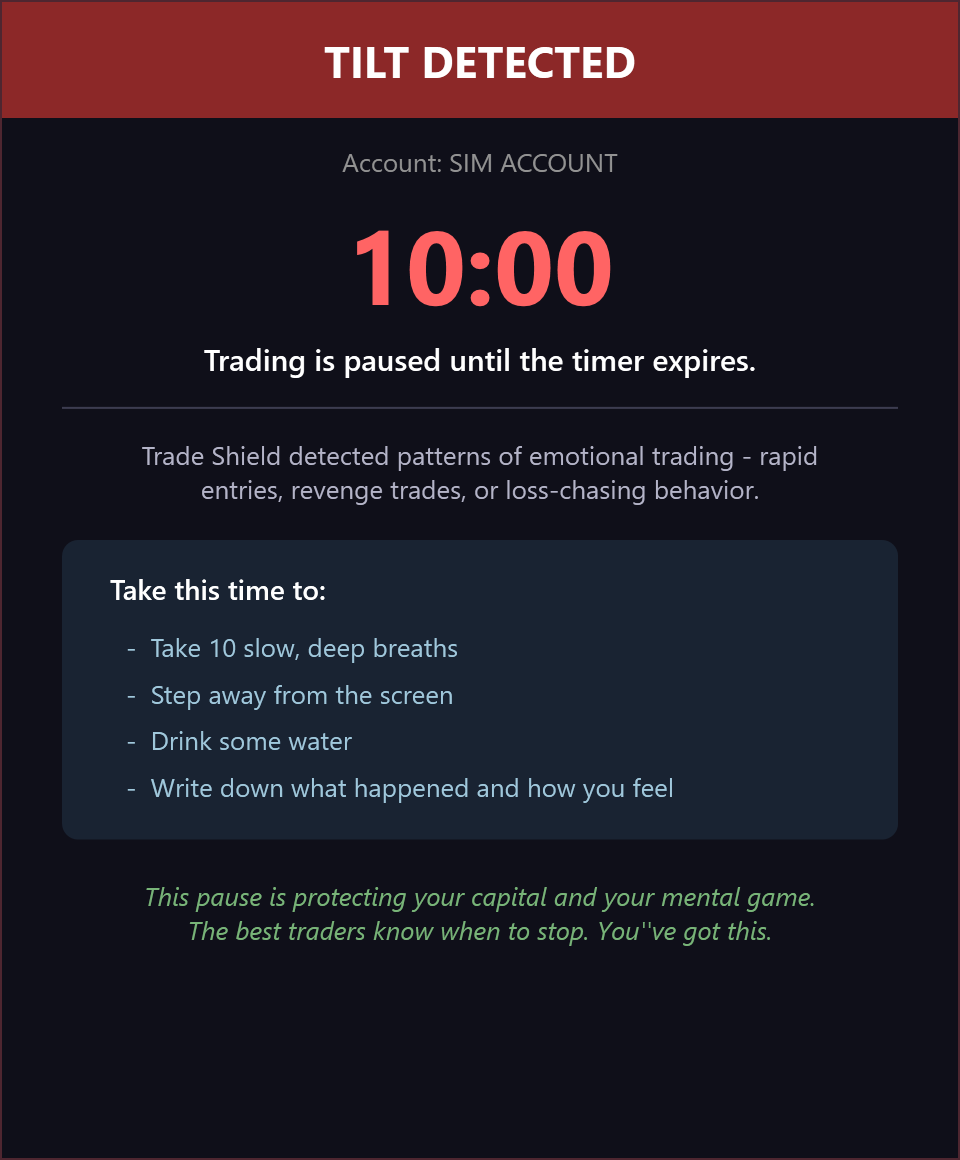
Words such as tilt or emotional trading are product labels for product-defined, observable trading sequences. They do not mean Trade Shield knows why a person acted or can diagnose an emotional state.
A local add-on is not a universal pre-submit veto
NinjaTrader add-ons can subscribe to account, order, execution, and position events. Those event streams make account governance possible, but they do not mean every order can always be stopped before submission. When Trade Shield observes a disallowed order in time, it can attempt to cancel it. If that order fills first, the corrective path can close the resulting exposure.
That distinction matters in a fast market. Network latency, local processing, provider routing, partial fills, and market movement can create a brief exposure or a fill away from the expected price. Commissions and fees may still apply. A corrective close limits the duration of a rule violation; it does not erase the fill or guarantee a specific financial result.
Keep a protective stop and an independent supervision plan. Trade Shield adds local governance, but it cannot control activity the local NinjaTrader instance does not receive and it is not a broker- or exchange-side risk control.
Account visibility, P&L, and daily reset boundaries
Trade Shield can act only on the account activity that NinjaTrader exposes to the local installation. It observes connected, visible account events. Activity placed through another application or route is visible only if the provider relays it into the same NinjaTrader account-event stream.
The dashboard’s P&L view depends on provider-reported account values together with locally observed unrealized results. Providers do not expose every account item in the same way, so compare the dashboard with the account and provider values you trust before enabling financial locks. If the numbers are stale or unexpected, stop and resolve the data or connection issue first.
Persistence is state-specific. Local configuration and active locks are intended to survive a restart or reconnect. At the product-defined ETH boundary, the daily settings’ enabled, applied, and locked state resets. An unexpired behavioral cooldown may persist, while a prop-pass lock persists until reset. After any restart, reconnect, add-on update, or account change, confirm a valid entitlement and verify that the dashboard shows the intended account, current P&L, correct settings, Protected status, and Ready status before trading. If entitlement validation or either status is unavailable, do not assume protection is active.
Operating boundaries to keep explicit
- No local protection is active while NinjaTrader, the Trade Shield add-on, Windows, or the required connection is unavailable.
- Trade Shield does not replace protective stop orders, broker supervision, or an exchange-side account control.
- It does not automatically import or synchronize every prop-firm rule, trailing drawdown, consistency requirement, payout condition, or maximum-contract rule.
- It cannot guarantee a fill price, prevent every loss, contain every brief exposure, pass an evaluation, or preserve a payout.
- Direction filtering governs entries and additions; a later directional-state change is not an automatic exit signal.
A practical simulation checklist
Configure risk rules while the market is quiet, then test the complete workflow in simulation. The purpose is to confirm the behavior you can actually observe on your account and provider—not to prove that software can remove trading risk.
- Select the exact simulation account and connection that represent your intended workflow.
- Compare Trade Shield’s displayed realized, unrealized, and combined P&L with NinjaTrader and provider values.
- Write down the firm or account rules separately; do not assume Trade Shield has imported them.
- Keep a protective stop on each test position and verify its behavior independently.
- Set sessions, daily loss, daily goal, giveback, and profit-protection choices while calm; review the product-defined behavioral warning and cooldown behavior.
- Test a new entry, position addition, reduction, full exit, trigger lock, and an order that fills before cancellation.
- Test restart and reconnect behavior, then confirm a valid entitlement, intended account, lock state, current P&L, Protected status, and Ready status.
- If you route activity outside NinjaTrader, verify whether that provider relays the activity into the same account events.
- Restart NinjaTrader after installing or updating a third-party add-on, as NinjaTrader’s add-on guidance directs.
NinjaTrader daily loss limit FAQ
Does NinjaTrader 8 have a daily loss limit?
NinjaTrader Desktop does not document one universal brokerage-account daily loss setting. Its Risk Templates govern margin, order, and position limits for local simulation accounts. NinjaTrader Prop separately documents configurable daily loss, profit, drawdown, and lockout settings, while Accounts tab data is provider-dependent.
Is a daily loss limit the same as a stop-loss order?
No. A stop-loss order is attached to an open position and seeks an exit at a price condition. A daily loss limit is an account-level rule that may restrict further trading or trigger another account response after its defined threshold.
Can a daily loss limit stop revenge trading?
A documented daily loss control can restrict trading after its trigger, but it does not understand a trader’s intent or emotional state. A behavioral tool can respond to product-defined, observable trading sequences, while the trader still needs a written process and supervision.
What information does Trade Shield monitor?
Trade Shield uses account, order, execution, position, P&L, session, configured financial-lock, directional-state, and observable trading-sequence information exposed inside the connected NinjaTrader environment. It does not use a camera, biometrics, or AI to read emotion.
Does Trade Shield block exits or position reductions?
Reductions and exits are designed to remain available while a rule restricts new or added exposure. That is intended behavior, not a guarantee: platform state, connectivity, routing, and upstream systems can still affect an order.
Does Trade Shield close a position when directional state changes?
No. The FLB directional state is an entry and position-addition filter. A later state change does not automatically close a valid open trade.
Can Trade Shield govern trades placed outside NinjaTrader?
Only when that external activity is relayed by the provider into the same connected, visible NinjaTrader account-event stream. Activity that NinjaTrader does not receive cannot be observed or governed by the local add-on.
Does Trade Shield work while NinjaTrader is closed or disconnected?
No. Trade Shield is a local NinjaTrader add-on. It cannot observe or respond while NinjaTrader, Windows, the add-on, or the required account connection is unavailable.
Does Trade Shield guarantee a prop evaluation pass or prevent all losses?
No. Trade Shield can apply configured local governance to activity it can observe, but it does not guarantee prevention, fills, evaluation results, payouts, or trading performance, and it does not automatically synchronize every prop-firm rule.
Sources and further reading
- NinjaTrader: Using the Risk window
- NinjaTrader: Accounts tab
- NinjaTrader Prop: Risk settings
- NinjaTrader: Mastering risk management in futures trading
- NinjaTrader: Account AddOn event API
- NinjaTrader: Using third-party add-ons
- U.S. Commodity Futures Trading Commission: Futures market basics
- FLB Trade Shield product page
- FLB Trade Shield public guide
This guide was prepared by the First Light Beacon Product Team with AI-assisted research and drafting. NinjaTrader platform statements were checked against the linked official documentation. Trade Shield statements were checked against the shipped stable 1.6.4 product source and current public documentation without publishing proprietary calculations, weights, or security internals. Product capabilities and provider terms can change; confirm current details before relying on a setting.
NinjaTrader is a registered trademark of NinjaTrader Group, LLC. First Light Beacon is not affiliated with or endorsed by NinjaTrader. Futures trading involves substantial risk and is not suitable for every investor.