
Direction and maturity
Defines the bull, bear, or neutral regime and shows how established that regime has become.
Bring directional regime, multi-horizon energy, expansion and exhaustion, session flow, and optional breadth into one focused market-state panel.
Vector owns direction. The other views describe timing, alignment, and tradeability without rewriting that regime.
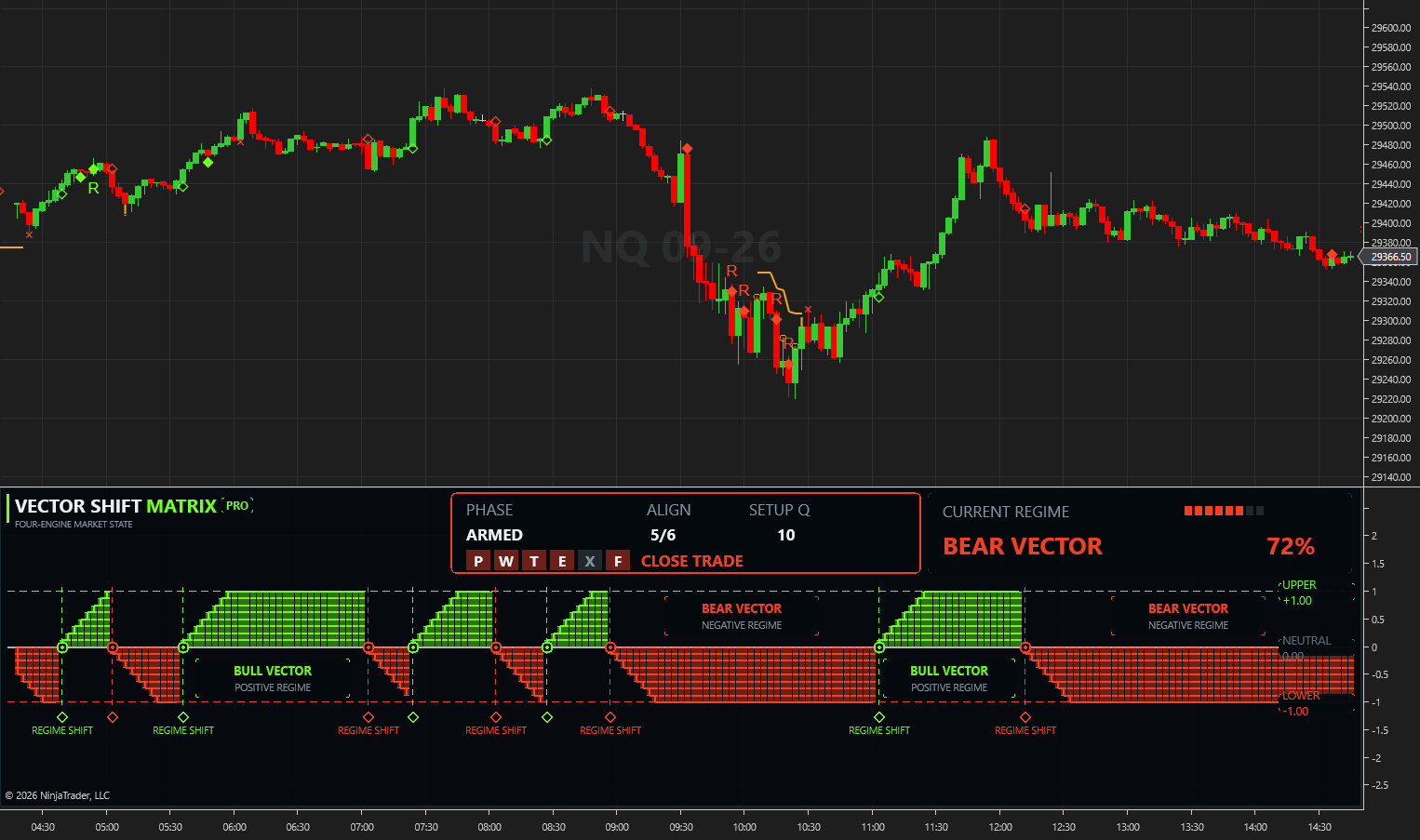
Available for TradingView and NinjaTrader 8, Vector Shift Matrix Pro brings four related views into one indicator. Each view has a defined role, so direction, energy, expansion, and session acceptance remain distinct instead of becoming duplicate votes.
Defines the bull, bear, or neutral regime and shows how established that regime has become.
Organizes Pulse, Wave, and Tide into short-, medium-, and higher-horizon pressure context.
Surfaces developing pressure, mature movement, divergence context, and optional comparison-asset confirmation.
Frames session flow, acceptance, rejection, and continuation context inside the active regime.
Watch the complete Vector Shift Matrix Pro overview and see how the market-state panel brings the First Light Beacon toolset into one focused decision layer.
Watch the full walkthroughEverything we have built has added up to this indicator
The status card separates the directional vector from the composite phase. These labels describe the indicator state; they are not orders or trade instructions.
The required conditions are not aligned.
The regime is developing but is not ready.
Prerequisites are aligned while expansion is still pending.
The full qualifying expansion sequence is active.
The movement is flagged as mature rather than a fresh expansion.
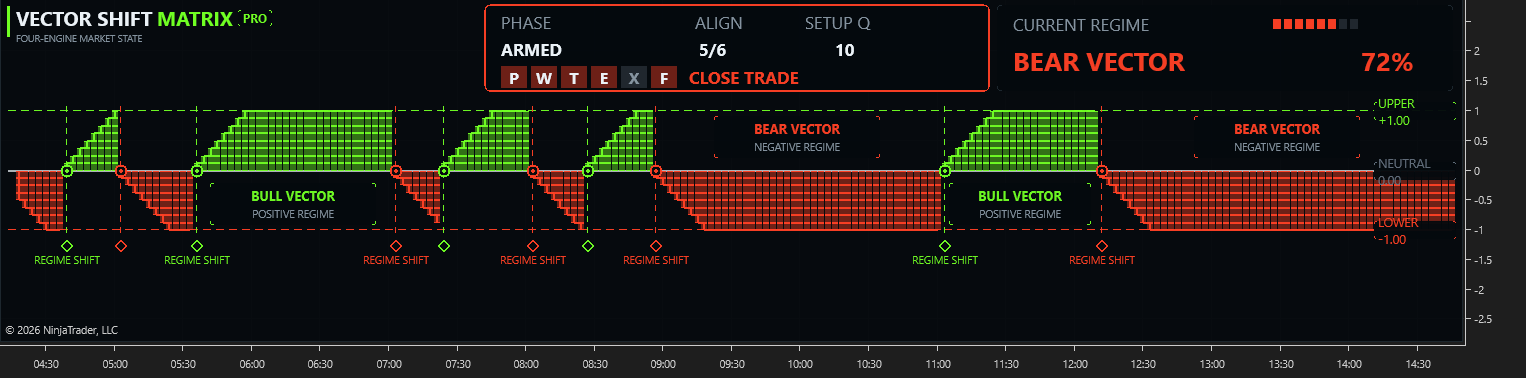
Optional markers translate confirmed indicator events into a readable sequence. Platform controls and alert configuration can differ between TradingView and NinjaTrader 8.
Marks a confirmed change in the directional regime. A developing live preview is not a confirmed shift.
Marks the first qualifying expansion after a new regime shift.
Marks a later qualifying continuation after a controlled pullback inside an established regime.
Keeps the matrix, current regime, confluence, phase, quality rank, and optional markers in one view.
Adds displayed engine values and per-check status for review and configuration work where supported.
A comparison instrument can add confirmation context to qualified events. It does not change the Vector regime.
Eligible FLB Pro and Automation members can use Vector Shift Matrix Pro on TradingView and NinjaTrader 8. Access and updates follow the delivery model of each platform.
Pro combines directional regime, multi-horizon energy, expansion and exhaustion, session acceptance, optional breadth, Prime and Reload markers, and trade-management alerts in one indicator. Standard focuses on directional state, maturity, and confirmation.
Yes. TradingView access is provisioned to the eligible member's TradingView account. The NinjaTrader 8 version is installed, licensed, and updated through the FLB Control Center.
Confirmed mode publishes higher-timeframe values after their layer closes. Optional live-preview or repaint settings can change while a layer is still forming, so platform settings should be reviewed before use.
No. Setup Q ranks configurations that have already passed the required checks. It is not a probability, forecast, or promise of results.
No. It displays market state, markers, and optional alerts. It does not place orders; the trader remains responsible for entries, exits, position size, and risk.
FLB Pro and Automation include Vector Shift Matrix Pro. FLB Suite includes the standard Vector Shift Matrix. Platform access is managed through the member's eligible First Light Beacon account.
Futures trading involves substantial risk. Vector Shift Matrix Pro is analytical decision support, not individualized financial advice, an automated trading system, or a guarantee of results.
Eligible members receive TradingView access through their TradingView account and install the NinjaTrader 8 version through FLB Control Center.